VideoShelf
Coming soon to the App Store

Cook together with home chefs

Video recipes, a cook mode with timers, and a voice that reads the next step while your hands are in the dough.

Free. No ads. No tracking.

Screenshots will appear here
App screenApp screenApp screenApp screenApp screenApp screen
Step 3 of 6timer 7:00
Cook by earvoice-guided steps
Features

A kitchen that never rushes you

Everything you need to get it right the first time — on one screen, at your own pace.

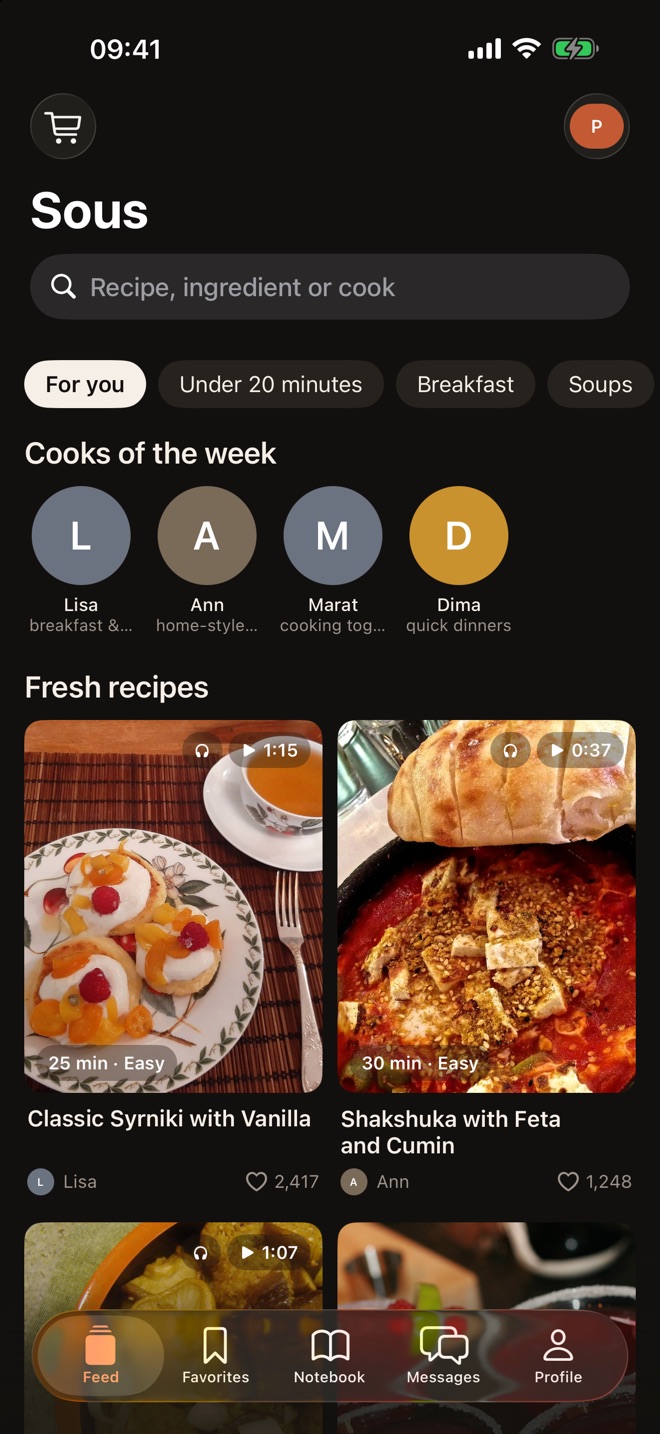
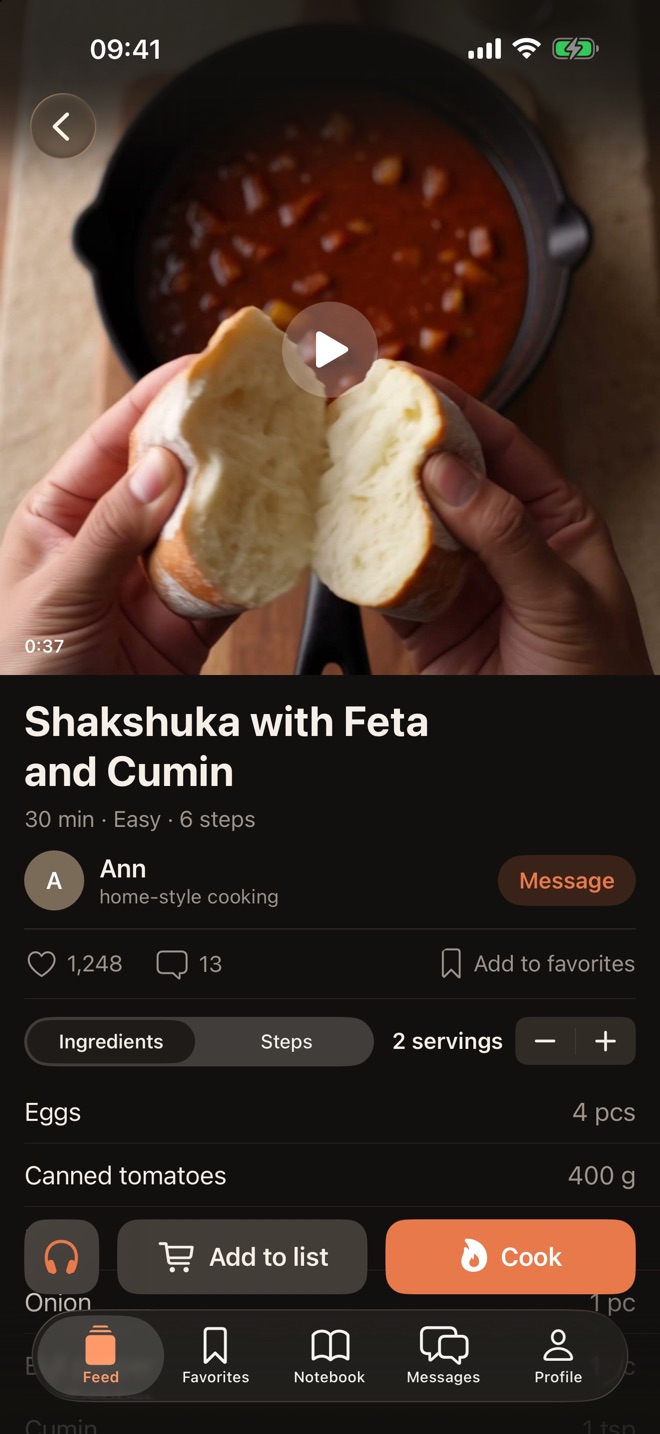
Video recipes from home chefs

Watch real people cook, not studios. Video quality adapts to your connection, and you can shrink the video into a floating window while you read the recipe.

  • Chefs of the week and collections: breakfast, soups, under 20 minutes
  • Picture in Picture and sound with the screen locked
  • Search by recipe, ingredient or chef
Screenshots will appear here

App screenApp screen

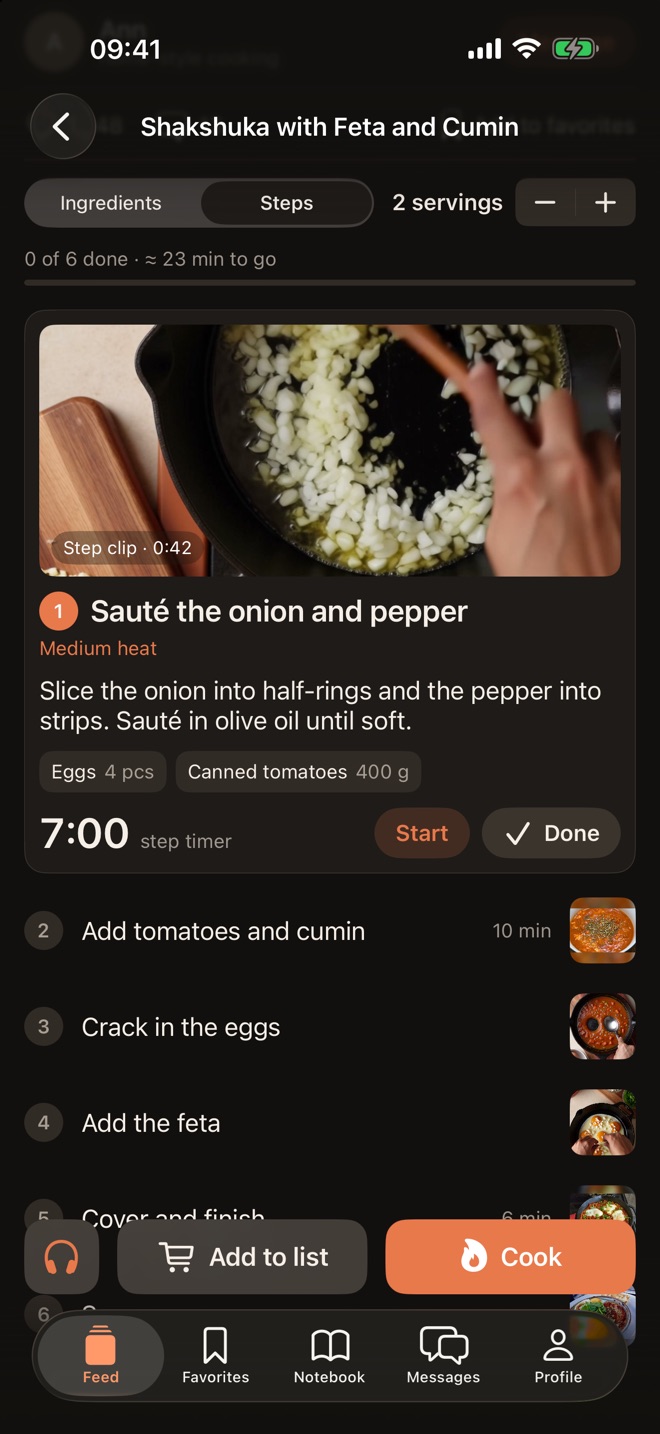
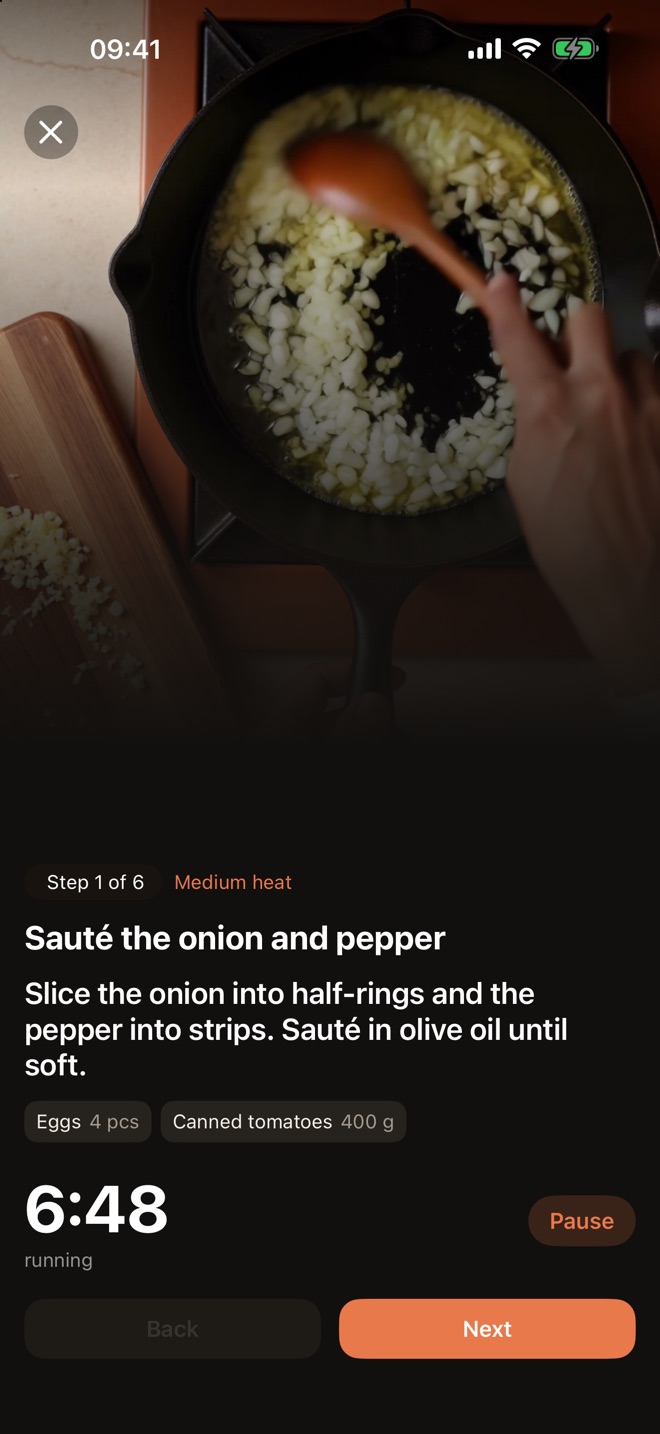
Cook mode: one step at a time

One step per screen, large text, the ingredients for that step and a timer. The screen stays on while you cook.

  • A timer for every step
  • Step clips loop silently
  • Progress is saved — pick up where you left off
Screenshots will appear here
App screenApp screen
step timer

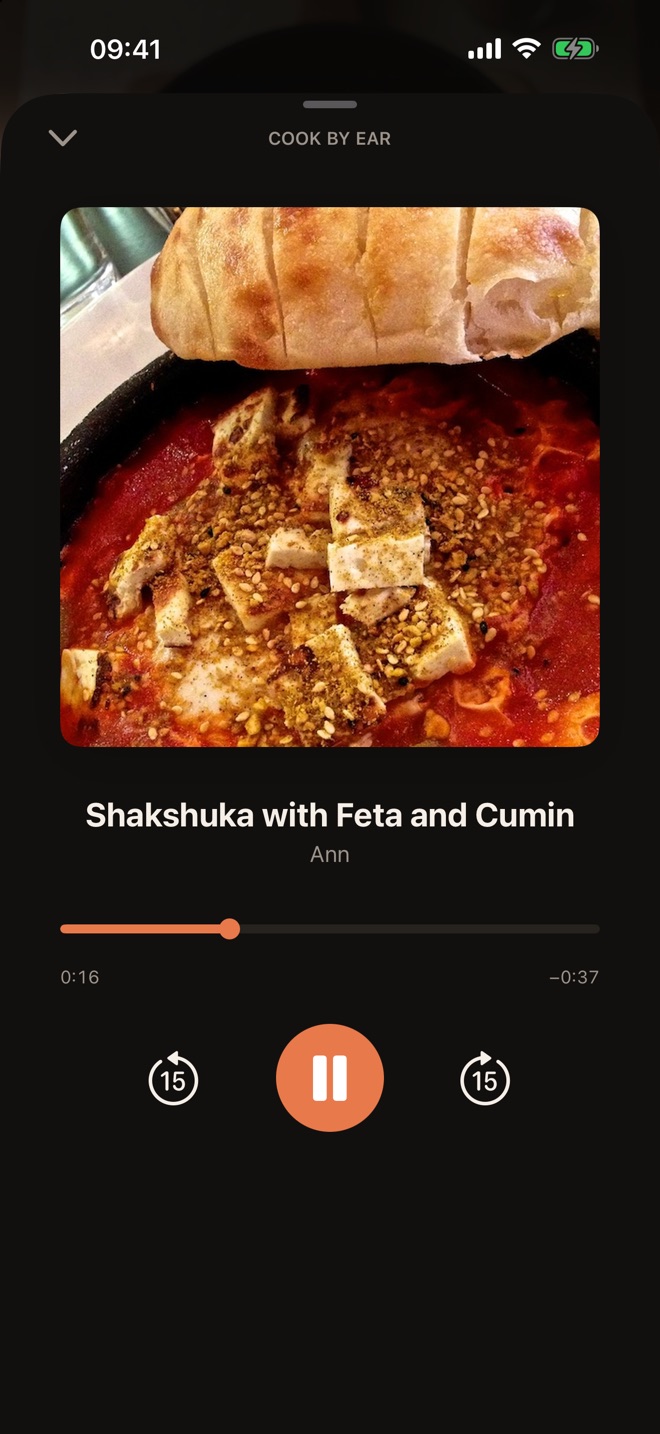
Cook by ear

The recipe author narrates every step. Put your phone down and listen — narration keeps playing with the screen locked, and you can control it from your headphones.

  • Skip 15 seconds forward or back
  • Mini player above the tab bar
  • Pauses when you unplug your headphones
Screenshots will appear here
App screen
And more

Small things that save time

Shopping list

Add a recipe's ingredients in one tap, scaled to the number of servings you need.

  • Eggs4
  • Canned tomatoes400 g
  • Bell pepper1
  • Feta80 g

Notebook

Your own recipes and notes with photos and videos, saved to your account.

Favorites

Save the recipes you want to come back to.

Ask the chef

Comments under recipes and private messages to chefs.

Chef profiles

All of a chef's recipes on one page.

Heat and servings

Stove heat hints and ingredients scaled to any number of servings.

How it works

Three steps to dinner

Pick a recipe

The feed suggests what to cook today, with video, cooking time and difficulty up front.

Get the ingredients

One tap puts everything on your shopping list, scaled to your servings.

Cook step by step

Cook mode walks you through each step, keeps time and keeps the screen awake.

Your kitchen is your business

We don't show ads, don't embed third-party trackers and don't sell data. Only what the app needs to work.

No adsNo trackersPasswords stored hashedDelete your account in SettingsReporting and blockingRecovery phrase

Privacy Policy

FAQ

Frequently asked questions

How much does it cost?

The app is free and has no ads.

Do I need an account?

No. You can browse recipes, watch videos and cook without one. An account lets you like, comment, message chefs, and keep a shopping list and notebook.

How do I sign in?

With your phone number and a password. When you sign up, the app shows a recovery phrase once — keep it safe: it restores access if you forget your password.

Does sound keep playing when the screen is locked?

Yes. Videos and step narration keep playing with the screen locked, and you can control them from the Lock Screen and your headphones. Videos can also float in Picture in Picture.

How do I delete my account?

In the app: Profile → Settings → Delete account. Your account and your content are deleted.

What if someone breaks the rules?

Long-press a comment or open the menu in a conversation to report, hide a comment or block the person. Reports are reviewed within 24 hours.

Cooking made simple

The app is coming soon to the App Store. Meanwhile, read our policies or get in touch.